
Download WPS Office Business – Free, Secure & Cross-Platform Office Suite for Windows, Mac, Android & iOS
WPS Office Business is a powerful, freemium office suite designed for business professionals, students, and educators seeking a secure, feature-rich alternative to Microsoft Office. With full compatibility with DOC, XLS, PPT, and PDF formats, this versatile software enables seamless document creation, editing, and collaboration across Windows, Mac, Android, and iOS devices. Whether you're drafting reports, analyzing data, or designing presentations, WPS Office Business delivers a professional-grade experience with intuitive tools, real-time spell checking, and advanced PDF editing — all without the high cost. The free version offers robust functionality, while the Premium tier unlocks enhanced PDF features, making it an ideal choice for users who value flexibility and affordability.
Key Features of WPS Office Business
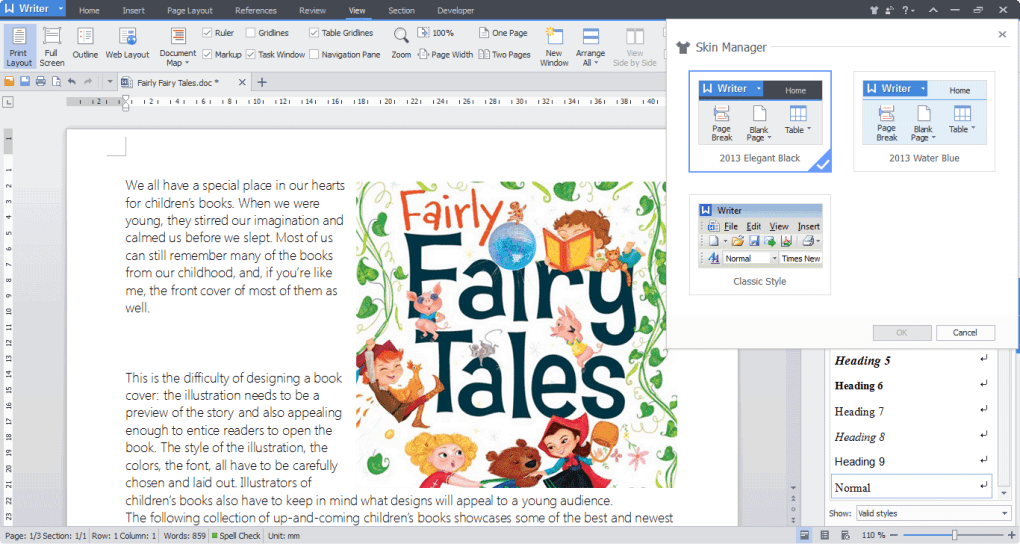
WPS Office Business stands out in the crowded productivity software market thanks to its comprehensive feature set, designed to meet the demands of modern professionals and students alike. At its core, the suite includes four primary modules: Writer, Spreadsheet, Presentation, and PDF — each meticulously crafted to deliver a smooth and efficient workflow. Writer offers a clean, distraction-free interface with advanced formatting tools, including real-time spell checking that highlights errors in red and suggests corrections. It also includes a built-in thesaurus to help users improve their writing with better word choices, making it ideal for academic papers, business proposals, and official correspondence.
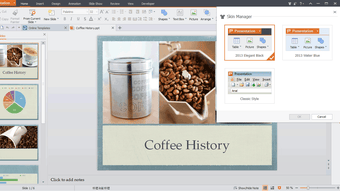
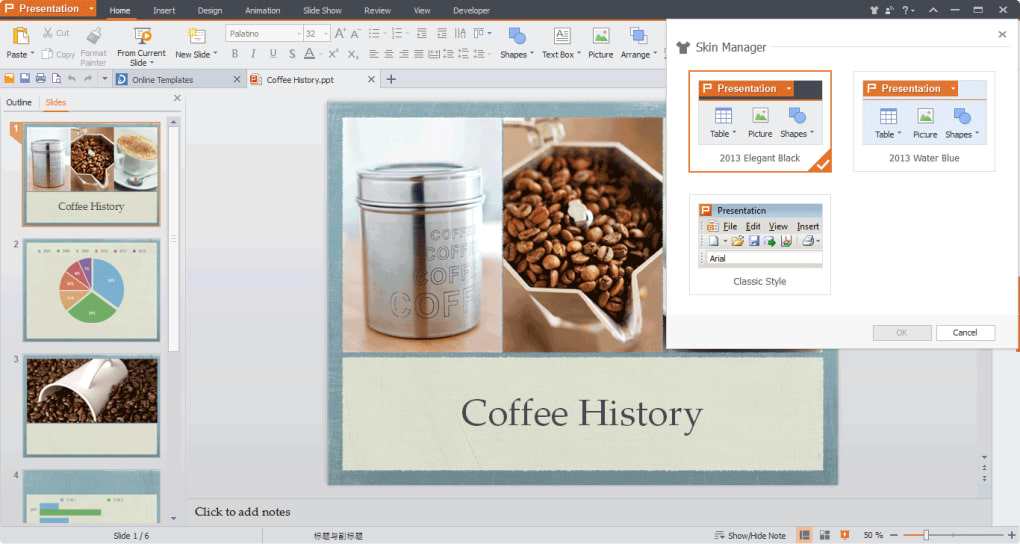
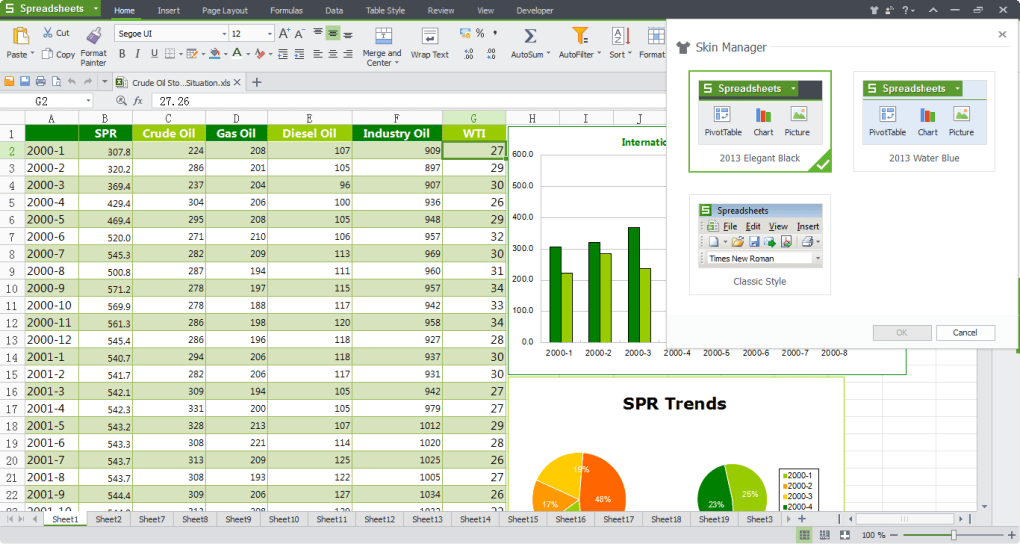
The Spreadsheet module supports complex data analysis with powerful functions, pivot tables, and chart creation. Whether you're managing budgets, tracking inventory, or preparing financial reports, the intuitive layout and formula support ensure accuracy and speed. The Presentation tool allows users to create dynamic slideshows with customizable templates, animations, and transitions — perfect for school projects, client pitches, and training sessions.
What truly sets WPS Office Business apart is its robust PDF capabilities. Users can view, annotate, convert, and edit PDFs directly within the app, a feature often reserved for premium tools. The free version provides solid PDF reading and basic editing, while the Premium version enhances this with advanced tools like OCR, form filling, and secure signing.
Additionally, the software supports over 47 file formats, ensuring compatibility with Microsoft Office, Google Docs, and Adobe PDF. With thousands of professionally designed templates for resumes, invoices, reports, and more, users can start projects instantly without building from scratch. The cloud integration allows for real-time collaboration and automatic backups, ensuring no work is ever lost. Security is also a top priority, with options for password protection, encryption, and read-only access — essential for handling sensitive business or personal documents.
Installation & Usage Guide for WPS Office Business
Getting started with WPS Office Business is quick and straightforward, whether you're using a desktop or mobile device. To download the software, visit the official WPS Office website and select your operating system — Windows, Mac, Android, or iOS. The installation process is smooth, requiring minimal system resources and taking less than two minutes on most devices. Once installed, launch the app and sign in with your WPS account (optional) to access cloud storage and sync your files across devices.
Upon opening, you’ll be greeted by a clean, familiar interface that closely resembles Microsoft Office, making it easy for new users to adapt. From the main dashboard, select the module you need: Writer for documents, Spreadsheet for data, Presentation for slides, or PDF for file management. Each module offers a ribbon-style toolbar with clearly labeled tools, ensuring intuitive navigation. For example, in Writer, you can insert tables, images, headers, footers, and page numbers with just a few clicks. The real-time spell checker automatically flags errors, and the thesaurus feature helps refine your language.
Using WPS Office Business for daily tasks is highly efficient. You can open and edit existing DOC, XLS, PPT, and PDF files without conversion issues. The cloud sync feature allows you to save documents to your WPS Cloud, access them from any device, and collaborate in real time.
For teams, shared folders and version history ensure transparency and accountability. The mobile app is equally powerful, letting you edit documents on the go with touch-friendly controls. Whether you're writing a report on your laptop or reviewing a spreadsheet on your tablet, WPS Office Business ensures consistent performance and reliability across platforms.
Compatibility & Security: A Reliable Productivity Tool
One of the most compelling reasons to choose WPS Office Business is its exceptional cross-platform compatibility. The software runs smoothly on Windows 7 and later, macOS 10.13 or higher, Android 5.0+, and iOS 11.0+. This means you can start a project on your desktop, continue editing on your phone during a commute, and finalize it on your tablet — all with consistent formatting and functionality. This seamless integration across devices is a major advantage for remote workers, students, and business travelers.
Compatibility extends beyond operating systems to file formats. WPS Office Business supports the latest Microsoft Office formats (DOCX, XLSX, PPTX) and can open, edit, and save files in PDF, TXT, RTF, and ODT formats. This ensures no data loss when sharing files with colleagues using different software. The app also integrates well with Google Docs, allowing you to import and export files directly from Google Drive, making it a practical choice for hybrid work environments.
Security is another strong suit. The software offers document encryption with AES-256, one of the most secure encryption standards available. You can password-protect files to restrict access or set them to read-only mode, preventing accidental edits.
This is especially useful for sensitive business documents, legal contracts, or academic submissions. Additionally, WPS Cloud uses HTTPS encryption to safeguard your data in transit. While the free version offers solid protection, the Premium version adds advanced features like digital signatures and secure sharing links, enhancing security for enterprise users.
Pros & Cons of WPS Office Business
- Pros:
- Free to download and use with robust core features
- Full compatibility with Microsoft Office and Google Docs file formats
- Powerful PDF editing tools, including conversion, annotation, and OCR
- Intuitive, user-friendly interface similar to Microsoft Office
- Available on Windows, Mac, Android, and iOS — true cross-platform support
- Thousands of customizable templates for quick document creation
- Real-time spell checker and built-in thesaurus for improved writing
- Secure document encryption and password protection
- Cons:
- Some advanced features are locked behind the Premium subscription
- Third-party app integrations are limited compared to Microsoft 365
- Occasional ads in the free version (though non-intrusive)
- Cloud storage is limited in the free tier (5GB vs. 1TB in Premium)
- Customer support is less responsive than competitors
Frequently Asked Questions (FAQ)
- Is WPS Office Business completely free to use?
- Yes, WPS Office Business offers a fully functional free version that includes Writer, Spreadsheet, and Presentation tools. You can create, edit, and save documents without cost. However, advanced PDF features like OCR and digital signatures require a Premium subscription.
- Can I open Microsoft Word files in WPS Office Business?
- Absolutely. WPS Office Business supports DOC, DOCX, and other Microsoft Word formats natively. You can open, edit, and save Word files without compatibility issues or formatting loss.
- Does WPS Office Business support PDF editing?
- Yes, the PDF module allows you to view, annotate, convert, and edit PDFs. The free version includes basic editing, while the Premium version unlocks advanced tools like OCR, form filling, and secure signing.
- Is WPS Office Business secure for business use?
- Yes, WPS Office Business offers strong security features including document encryption, password protection, and read-only access. The WPS Cloud uses HTTPS encryption, ensuring your data remains safe during transfer.
- Can I use WPS Office Business on my mobile device?
- Yes, WPS Office Business is available for both Android and iOS. The mobile apps offer full functionality, allowing you to edit documents, spreadsheets, and presentations on the go.
Final Verdict: Why WPS Office Business Is a Smart Choice
WPS Office Business delivers an impressive balance of power, affordability, and accessibility. Whether you're a student working on a thesis, a teacher preparing lesson plans, or a business professional managing reports and presentations, this software provides everything you need — without the hefty price tag of Microsoft Office. Its seamless compatibility with major file formats, strong security features, and cross-platform availability make it a reliable choice for modern workflows.
While the free version is already feature-rich, upgrading to Premium unlocks advanced PDF tools and more cloud storage — a worthwhile investment for frequent users. Despite minor limitations in third-party integrations and customer support, the overall experience remains smooth and professional. For anyone seeking a free, secure, and versatile office suite that works across Windows, Mac, Android, and iOS, WPS Office Business is a top contender.
Download WPS Office Business today and experience a smarter, faster, and more affordable way to work.







